
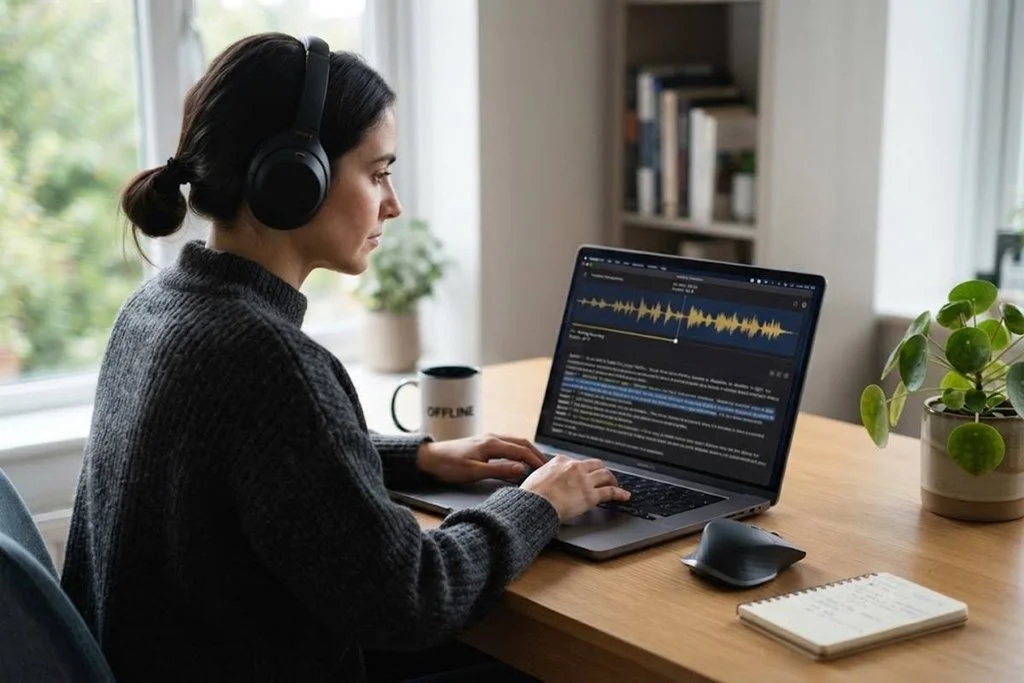
Transcribing audio and video files has become an essential part of modern work. Students convert lectures into notes, businesses turn meetings into written records, journalists process interviews, and content creators prepare captions and subtitles. Although online transcription platforms can be convenient, they often require users to upload recordings to remote servers. For anyone handling confidential conversations or simply wanting greater control over their files, private transcription software can provide a more secure and convenient alternative.
SpeechPulse offers an alternative approach by bringing speech recognition directly to your computer. Its file mode allows users to drag and drop audio or video recordings, choose a speech model, and produce transcriptions or subtitle files without depending on a constant internet connection. This combination of local processing and flexible file support makes it worth considering for anyone who regularly works with spoken content.
Why Is It Better for Offline Transcription?
1. Private by Design
Privacy is one of the biggest concerns when dealing with recorded conversations. Audio and video files may contain business discussions, personal information, interviews, lectures, unpublished ideas, or other material that users do not want to send to third-party servers. Cloud transcription requires files to be transferred online, which may not be suitable for every situation. For users who prioritize keeping recordings under their own control, private transcription software can make the transcription process more reassuring.
SpeechPulse supports offline speech recognition, allowing transcription to be performed locally using the computer’s processing resources. The company states that, when using offline recognition, voice and text data do not leave the user’s machine. This gives users greater control over sensitive recordings and can make the software particularly useful in situations where confidentiality is important, including professional, academic, and legal workflows.
2. No Internet Required
Internet connectivity can be a major consideration when transcribing large recordings. Uploading a lengthy video can take considerable time, especially when the connection is slow or unstable. Users may also face data limitations or difficulty accessing cloud services while traveling. For people who want speech to text without cloud processing, an offline transcription solution removes much of this dependency because the work can happen directly on the computer.
With SpeechPulse’s offline models, transcription can take place without an internet connection. The software uses the computer’s CPU or GPU to perform speech recognition locally. This means users can work with their recordings even when they are offline. For people who frequently travel, work remotely, or handle large files, avoiding uploads can also make the overall workflow simpler and more predictable.
3. Fast File Transcription
Manual transcription is extremely time-consuming because the user has to repeatedly listen, pause, rewind, and type. Even experienced typists can struggle to keep up with natural conversation. Automated transcription dramatically reduces this workload by converting spoken words into text while the user focuses on reviewing and editing the result.
SpeechPulse is designed to simplify this process through its dedicated file mode. Users can drag and drop their recordings, select an appropriate speech model, choose an output format, and start the transcription. The software can produce text transcriptions as well as subtitle files, making it useful for both documents and video-related projects. Processing speed can depend on the selected model and computer hardware, so users can choose models according to their preferred balance between speed and recognition quality.
4. Audio and Video Support
A major advantage of a dedicated transcription tool is the ability to handle more than simple voice recordings. SpeechPulse supports a wide range of audio formats, including MP3, WAV, M4A, FLAC, OGG, and WebM. Its file workflow can also be used with common video formats, allowing spoken content from video recordings to be converted into written text.
This flexibility makes the software suitable for many everyday projects. A journalist can transcribe an interview, a student can convert a recorded lecture into notes, and a content creator can turn a video into subtitles. Instead of switching between several applications for different file types, users can keep transcription tasks within one workflow. That saves time and reduces unnecessary file conversions.
5. Useful Subtitle Creation
Transcription is not limited to creating plain text. For video creators, subtitles can be equally important because they improve accessibility and allow viewers to follow spoken content without sound. Manually creating subtitles can be particularly tedious because every line needs appropriate timing and formatting.
SpeechPulse can generate subtitle files from video recordings and supports formats such as SRT and WebVTT. It can also provide timestamps and allows users to adjust subtitle width settings. This makes it useful for creators, educators, marketers, and businesses that need to prepare videos for online publication without manually typing every spoken sentence.
6. Multiple Languages
Modern audio and video content is rarely limited to one language. Interviews may contain multilingual conversations, international businesses may record meetings in different languages, and creators often publish content for audiences around the world. A transcription tool with broad language support can therefore be more useful than one designed for English alone.
SpeechPulse currently advertises transcription support for 99 languages, including languages such as English, French, German, Spanish, Italian, Japanese, Chinese, and Russian. Users can select an appropriate language and speech model according to the recording. This makes the software suitable for a wider variety of personal and professional transcription requirements.
7. Speaker Recognition
Recordings involving several people can be difficult to transcribe manually because it is not always obvious who said each sentence. This is especially true for interviews, podcasts, meetings, panel discussions, and group conversations. Identifying speakers can make a transcript much easier to read and edit.
SpeechPulse includes speaker diarization for supported transcription workflows, which can help separate speech according to different speakers. This feature can add significant value when working with conversations rather than single-speaker recordings. Instead of receiving one continuous block of text, users can work with a transcript that provides more useful speaker separation.
8. Simple Workflow
One of the advantages of private transcription software is that it can bring transcription, file processing, and local recognition into a straightforward workflow. SpeechPulse keeps the basic file-transcription process straightforward:
- Install SpeechPulse and select file mode.
- Drag and drop the audio or video files.
- Choose the speech model and language.
- Select the desired output format and destination.
- Start the transcription and review the generated files.
This workflow can be especially convenient for people who need to process recordings regularly. Once the software and preferred models are configured, repeated transcription tasks can become much more efficient than manually uploading files to an online platform every time.
9. Flexible for Different Users
SpeechPulse is not limited to one particular profession. Students can use it for lectures and research interviews, while journalists can convert recorded conversations into editable transcripts. Businesses can use it for meetings, presentations, and internal recordings, while content creators can produce subtitles and written versions of videos.
The software also includes features for AI-based text processing, such as summarization and formatting, depending on the selected models and configuration. SpeechPulse documents workflows for transcribing recordings and applying AI templates to generate summaries. This can help turn a simple transcript into a more useful working document without requiring users to manually reorganize every section.
10. A Better Balance
Online transcription services can certainly be convenient, but they are not always the ideal choice. Uploading files, depending on an internet connection, and sending recordings to external servers can introduce limitations. Offline transcription takes a different approach by keeping processing closer to the user’s own computer.
SpeechPulse combines local speech recognition with file transcription, subtitle generation, multilingual support, and speaker diarization. Its latest versions continue to receive updates, including new transcription model support and improvements to file-related workflows. For users who want greater privacy, offline access, and a practical way to turn recordings into usable text, this approach can be a compelling alternative.
Final Thoughts
The growing demand for transcription shows how valuable spoken content has become. From lectures and interviews to meetings and online videos, converting speech into text can save time and make information easier to search, edit, and reuse. Choosing private transcription software can be particularly beneficial when recordings contain sensitive information or when users simply prefer to keep their files under local control.
For students, professionals, researchers, journalists, and creators, that combination can make a meaningful difference. SpeechPulse offers a practical transcription workflow that focuses on three increasingly valuable qualities: privacy, speed, and independence from the cloud. When your recordings are important or sensitive, keeping the transcription process on your own computer can be a smarter and more controlled way to turn speech into text.
